If you choose to livestream KINGDOM HEARTS games through online services like Twitch and YouTube, you may find your VODs auto-muted in certain sections due to copyrighted audio. In many cases, these mutings can be reversed through sending an appeal; this guide covers all you need to know about it!
| JUMP TO: | Livestream Guidelines Music Track Exceptions Appeal & Un-Mute VODs |
Livestream Guidelines
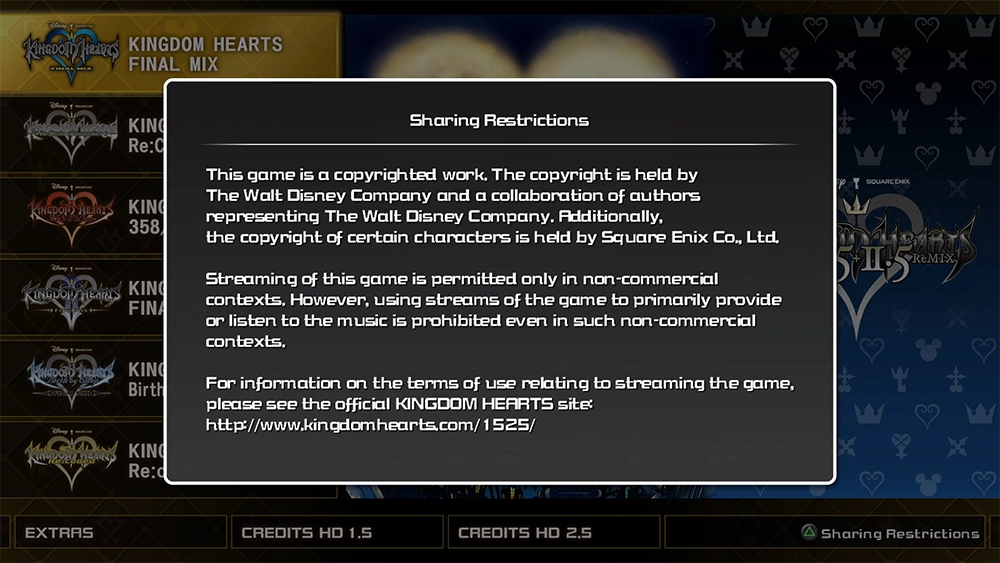
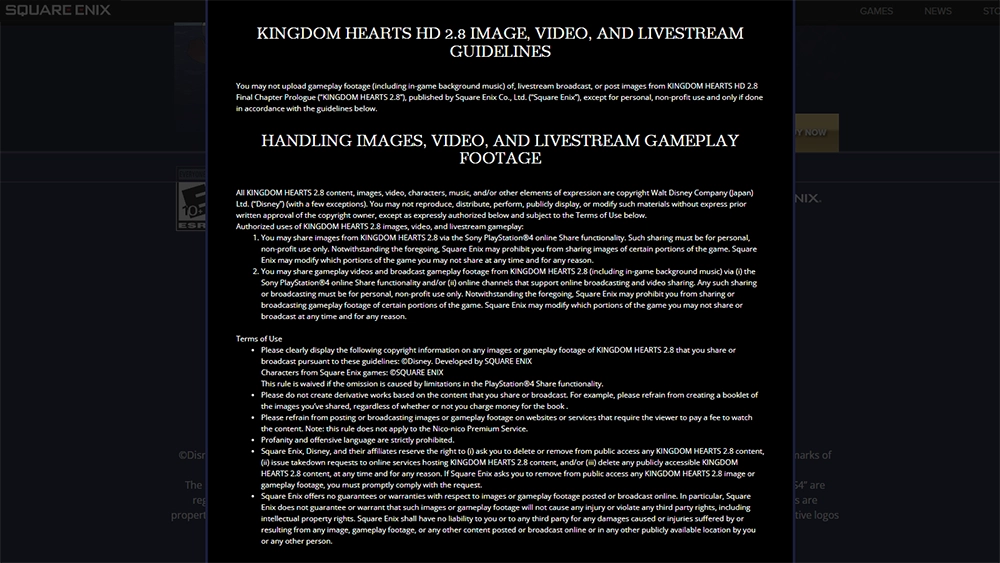
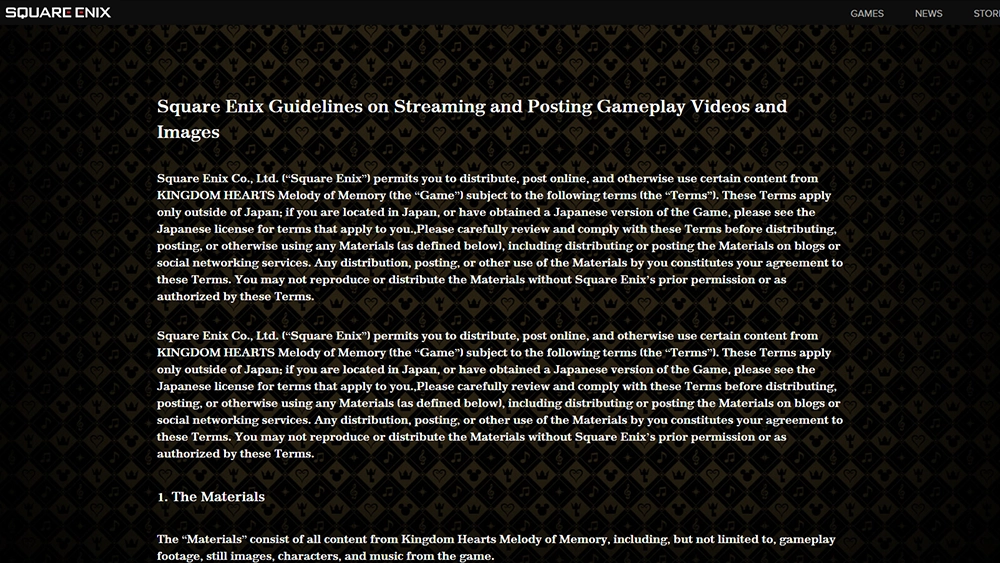
You will typically find the image, video, and livestream guidelines (also shown as Sharing Restrictions) in the launch menu of each Kingdom Hearts game. Here's a summary of important things to know:
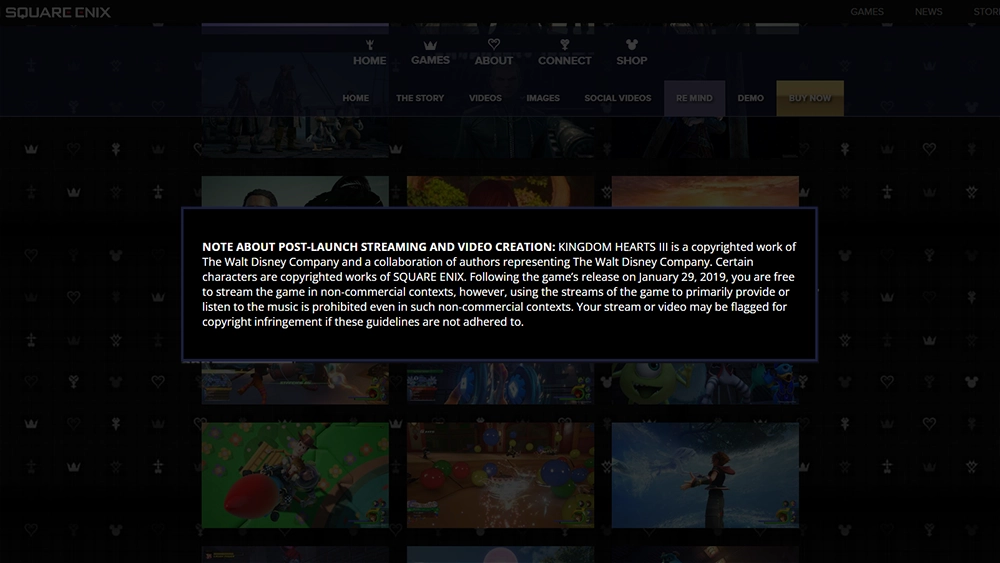
- Streaming KINGDOM HEARTS games is permitted only in non-commercial contexts.
- You may monetize your Twitch and YouTube accounts while playing KINGDOM HEARTS games, but you cannot lock your streaming content behind paywalls. Your KINGDOM HEARTS livestreams must be free to access.
- You may not livestream the game simply to have its music played in the background. In other words, you must be actively playing the game for it to be considered justified use.
- If your livestreams are in compliance with the above, you should be able to appeal muted VODs (with the exception of select music tracks - see below).
Music Track Exceptions
The following music tracks are licensed and are NOT eligible to be un-muted:
Hikaru Utada Songs
- Simple and Clean (Hikari)
- Sanctuary (Passion)
- Don't Think Twice
- Face My Fears
Original Disney Songs
- Bibbidi-Bobbidi-Boo
- Mickey Mouse March
- This is Halloween
- Under the Sea
- Circle of Life
- Part of Your World
- A Whole New World
- Let It Go
- You've Got a Friend in Me -KINGDOM HEARTS III Version-
- Beauty and the Beast
All music aside from the tracks listed above can be appealed and un-muted, so long as you are actively playing the game and not just using the game to listen to its music in the background.
Appeal & Un-Mute VODs
Twitch
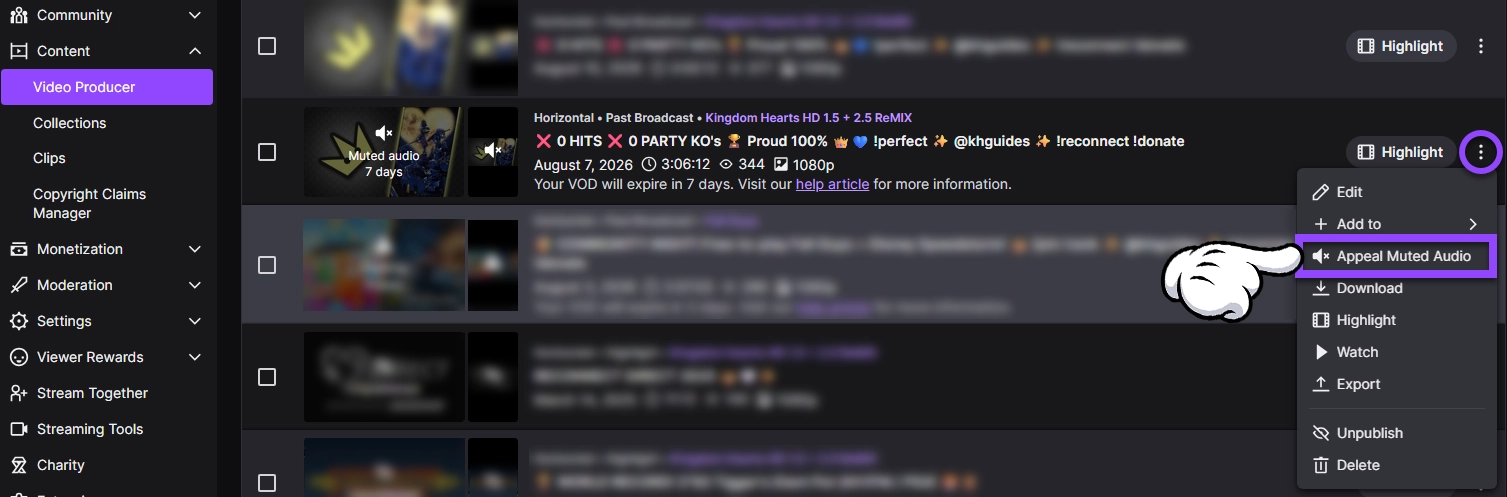
- Log into Twitch and navigate to the Video Producer section.
- Click the ⋮ button next to the VOD that is muted and click Appeal Muted Audio.
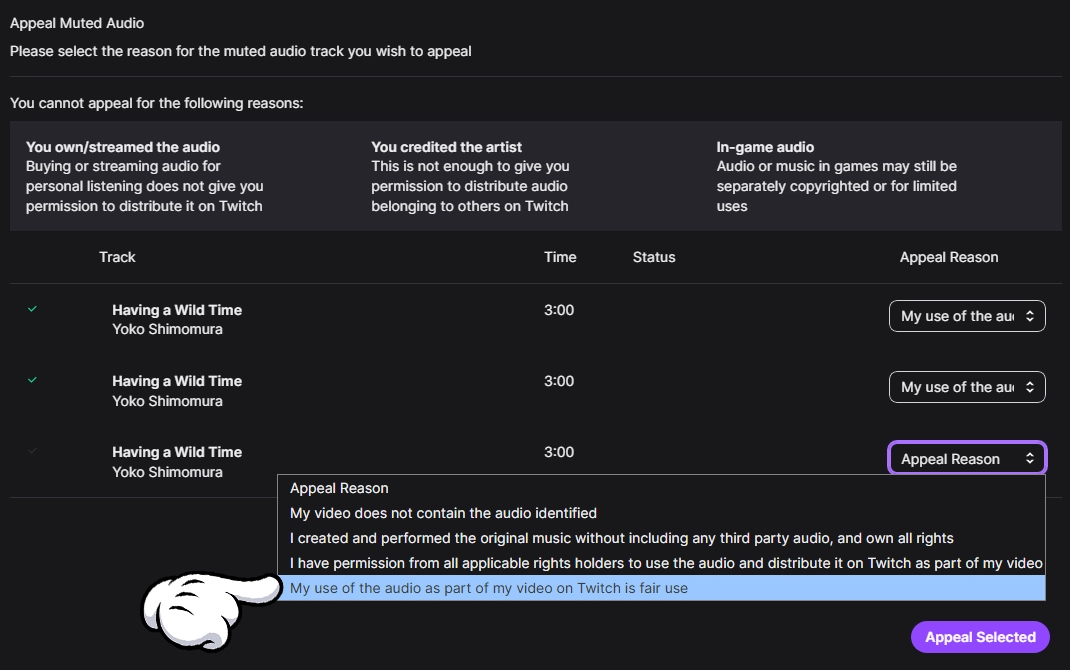
- For each eligible music track, select the Appeal Reason "My use of the audio as part of my video on Twitch is fair use".
- Click Appeal Selected.
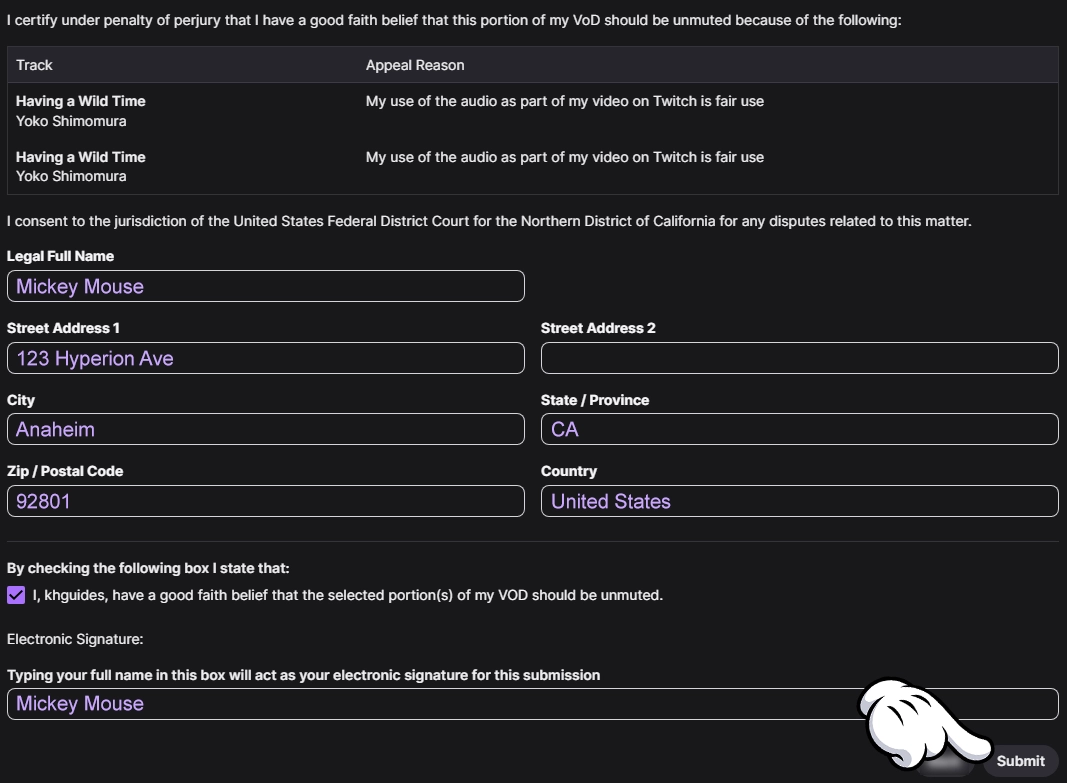
- Complete and sign the form indicating that the selection VOD portions should be unmuted.
- Click Submit.
You should immediately receive an email to the email address tied to your Twitch account indicating the result of the appeal. It may take 1-2 minutes before the VOD shows as un-muted in your Twitch Video Producer.
By filing a claim to dispute muted audio, you are confirming that your personal inclusion of the copyrighted audio falls under the terms of fair use. Your submitted claim may be rejected by the copyright holder and used by the copyright holder in legal procedings in the event that the copyright holder chooses to pursue copyright infringement litigation against you.
YouTube
- Log into YouTube Studio and and click Content from the left-hand menu.
- Locate the affected livestream under the Videos tab.
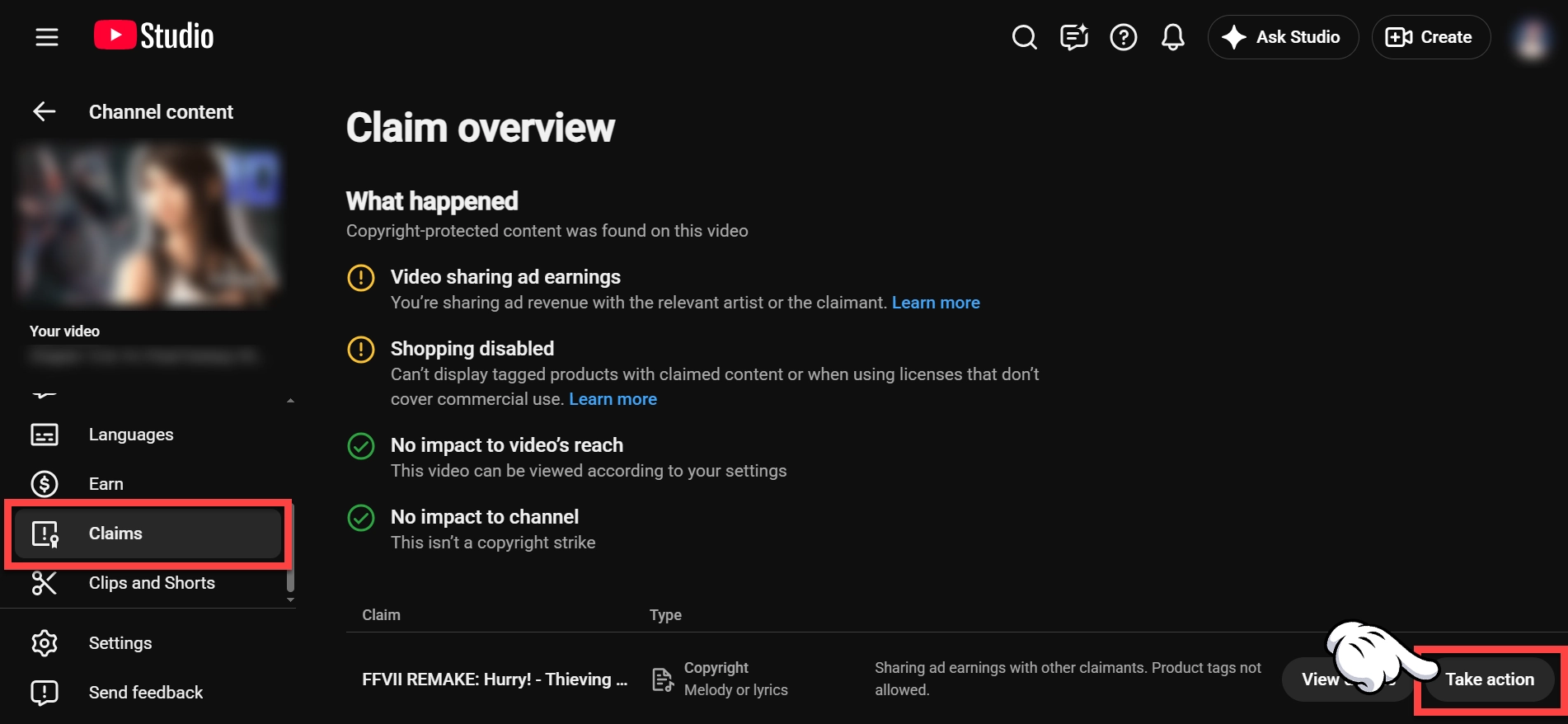
- Look at the Claims section. If it says "Copyright claim", click Take action.
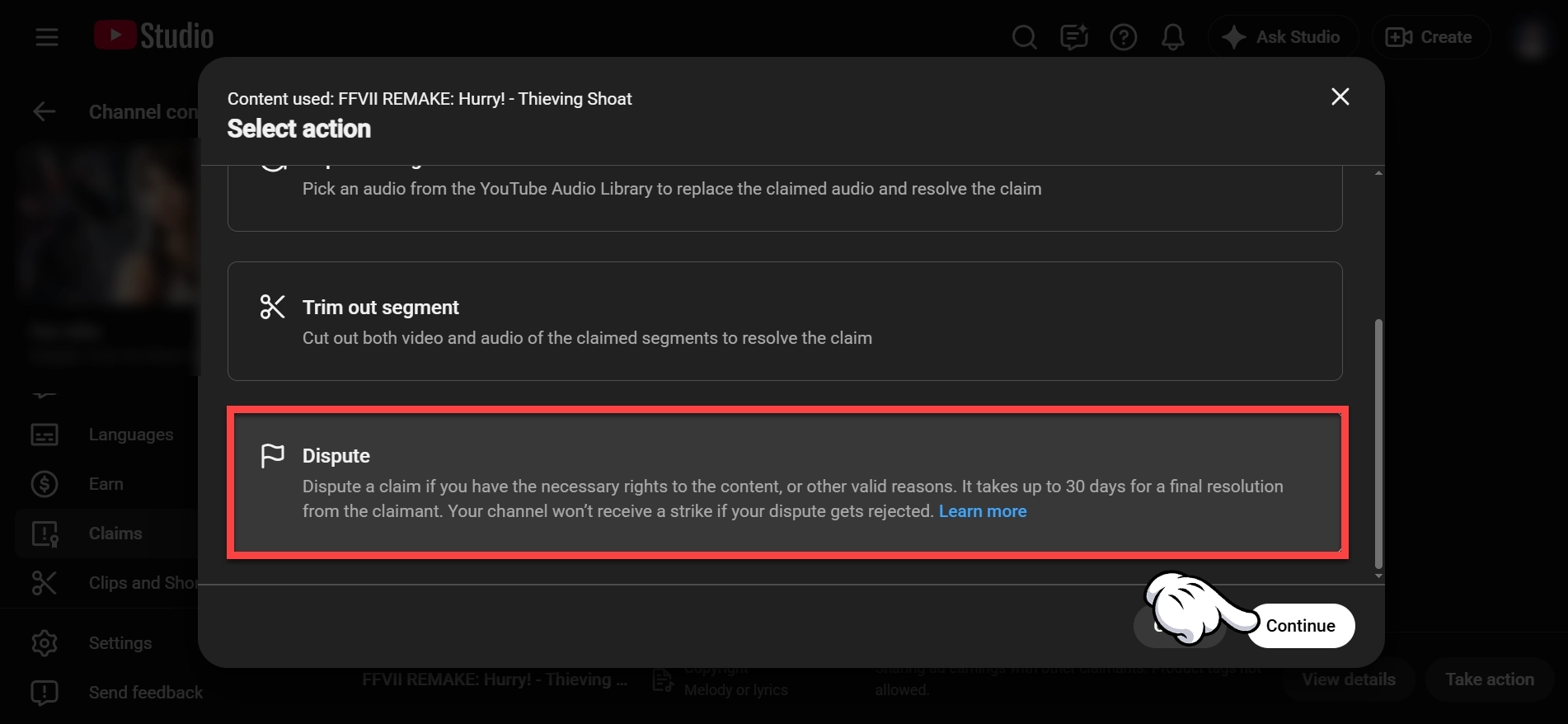
- Select the Dispute action and click Continue.
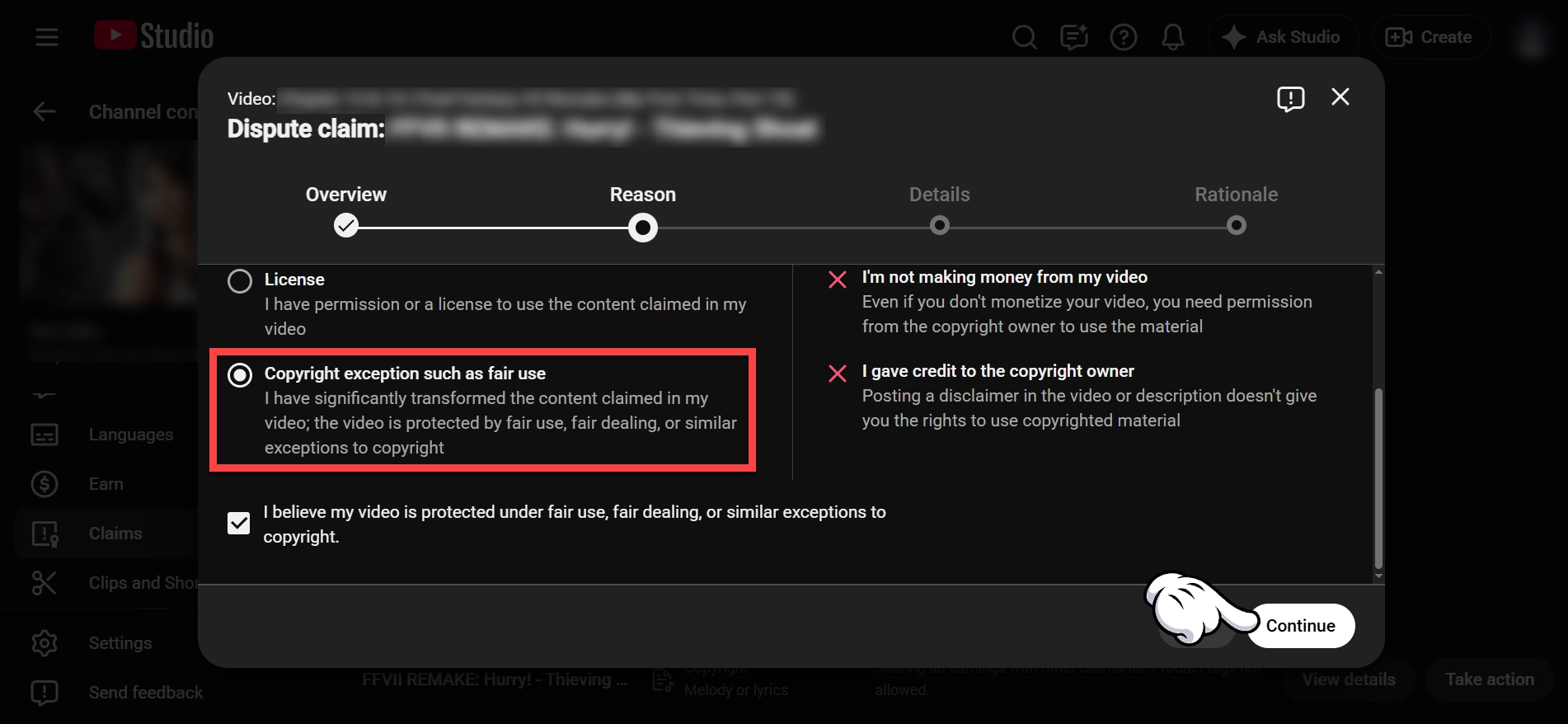
- Select the option for "Copyright exception such as fair use" and click Continue.
- Check the box for "I believe my video is protected under fair use, fair dealing, or similar exceptions to copyright." and click Continue.
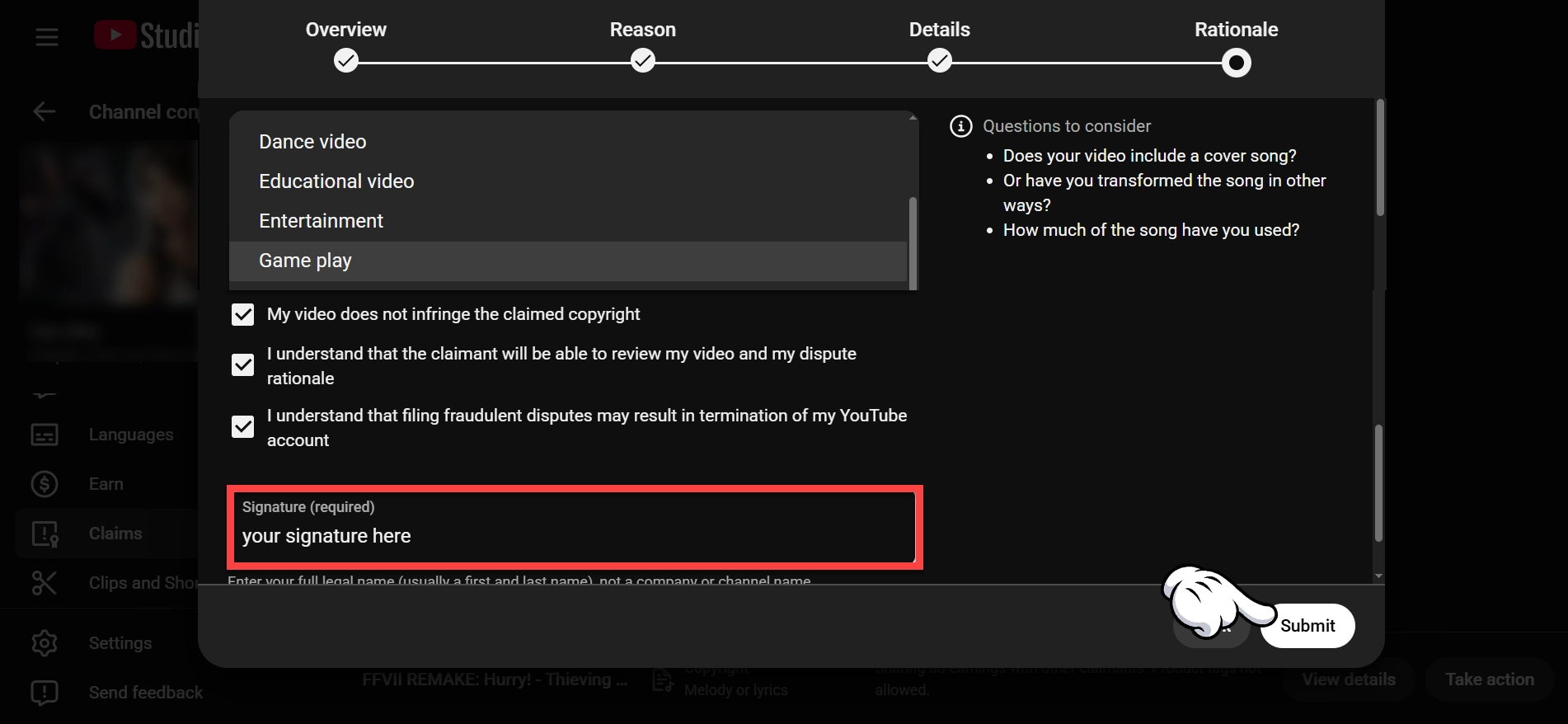
- Select Game play for the type of video.
- Check the boxes to confirm the nature of your dispute.
- Sign your signature and click Submit.
The copyright owner will have 30 days to review your dispute and respond. If the 30 days elapses, the claim will be lifted. If the copyright owner rejects your dispute, your VOD will remain muted.
By filing a claim to dispute muted audio, you are confirming that your personal inclusion of the copyrighted audio falls under the terms of fair use. Your submitted claim may be rejected by the copyright holder and used by the copyright holder in legal procedings in the event that the copyright holder chooses to pursue copyright infringement litigation against you.